Voting open · ends in—
Plan baby shower decor from your room photo

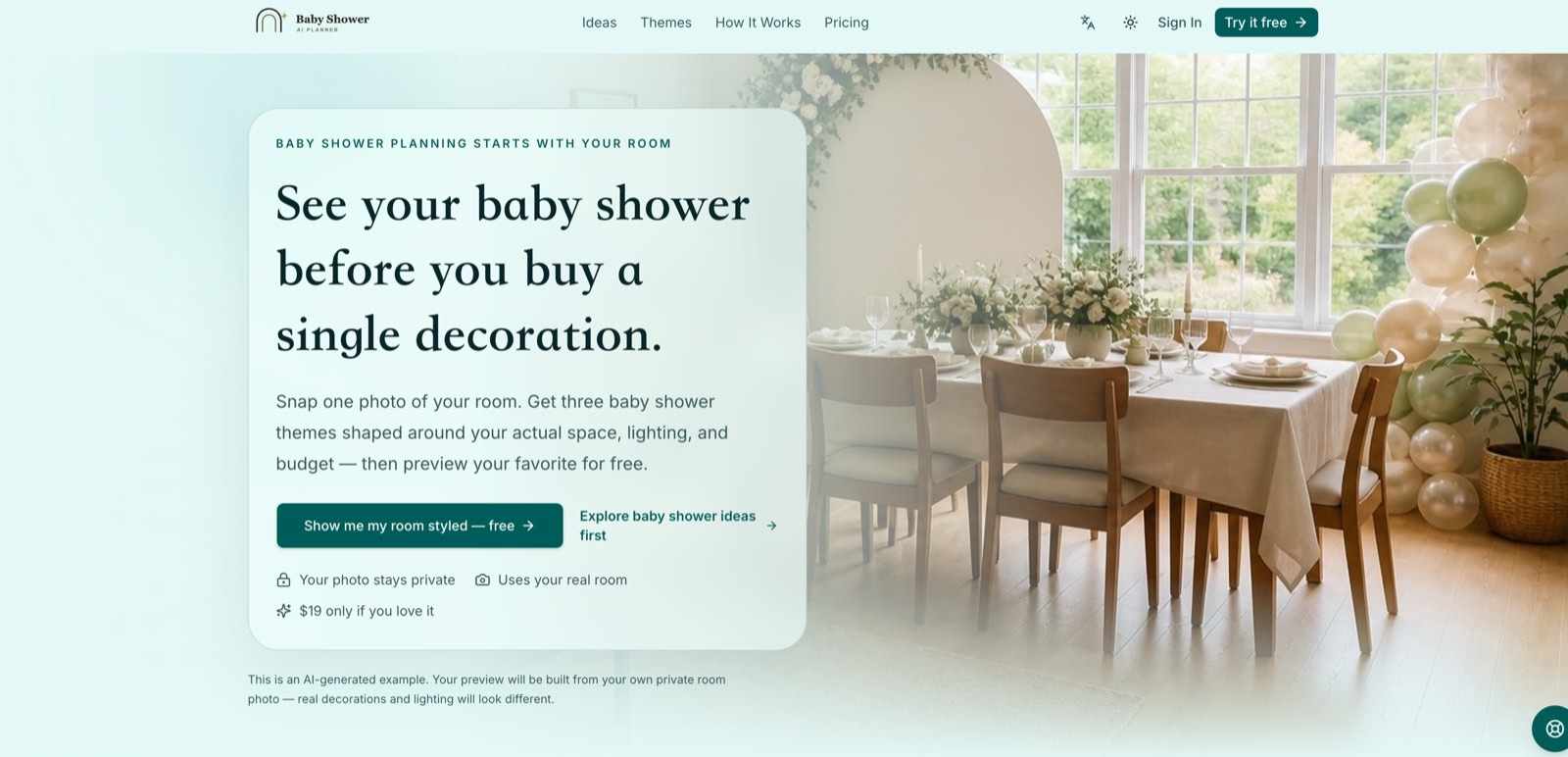
BabyShower AI Planner helps baby shower hosts plan decorations around their actual room. Upload a clear venue photo without people and add your guest count, preferred colors and budget. The planner suggests three theme directions, then lets you choose a free watermarked preview before buying decorations.
An optional one-time $19 purchase unlocks three HD concepts at simple, balanced and rich decor levels, two revisions, a shopping list, a budget breakdown and a printable planning PDF. Shopping estimates are planning guidance rather than guaranteed retailer prices. AI visualizations help compare ideas, but real decorations and lighting may look different.
The service runs in a web browser and can be used for living rooms, dining rooms, backyards, patios and other venues. The website also offers guides covering themes, smaller spaces, decorating budgets, checklists and planning timelines. Uploaded venue photos and generated project files remain private, and the purchased project is accessible for twelve months. Start with a free preview with no card required, and choose the complete plan only if it fits your celebration. There is no subscription.
Product Keywords
Loading comments...
Maker
BabyShower AI Planner is a web-based tool that helps baby shower hosts design decorations around their actual venue. You upload a clear photo of the room you plan to use—without people in the frame—add your guest count, preferred colors, and budget, and the planner generates three distinct theme directions tailored to that specific space. You can preview one concept for free with a watermark, and only if you're satisfied do you pay a one-time $19 fee to unlock the full package. There's no subscription, no card required for the preview, and your uploaded photos and project files stay private.
Upload your room and get three realistic baby shower themes shaped by your colors, guest count, venue layout, and budget. These aren't rigid templates—each direction adapts to your space's strengths, whether that's a cozy living room or a breezy patio.
Before spending anything, you can see one concept previewed in your actual room. This lets you gauge whether the direction feels right without financial risk. The preview is clearly AI-generated, so you know real decorations and lighting will differ.
The $19 unlock provides three HD concepts at simple, balanced, and rich decor levels. You also get two revisions, so if you change your mind about a color or focal point after seeing the HD visuals, you can adjust without starting over.
The paid plan includes an item-by-item shopping list with budget estimates, plus a printable planning PDF that combines visuals, the shopping list, budget breakdown, and project notes in one file. This is practical guidance, not guaranteed retailer pricing.
Your room isn't a problem—it's your starting point.
Most baby shower inspiration assumes a blank canvas, but BabyShower AI Planner treats your actual space as the foundation. It designs around your existing furniture, lighting, and layout rather than asking you to conform to someone else's Pinterest-perfect setup. The free preview with no card required is a low-commitment way to test whether the approach clicks, and the one-time $19 fee—with no subscription—keeps the financial decision simple and transparent.
You're planning a baby shower in a living room, dining room, backyard, patio, or apartment and want decor ideas that respect your real constraints. It's especially useful if you've struggled to translate generic theme boards into something workable for your specific space, or if you want a structured plan—budget, shopping list, timeline—without hiring a professional decorator. The service also offers guides on themes, small spaces, budgets, checklists, and timelines, making it a solid starting point for hosts who prefer to research before they commit.

Other tools you might consider
In the high-stakes environment of corporate mergers, acquisitions, and restructuring, data is the most valuable asset—and the most vulnerable. The FreeViewer Office 365 Tenant Migration Tool is engineered as a surgical instrument for IT professionals, stripping away the complexity of cross-tenant transitions to deliver a clean, bit-for-bit data transfer. Engineered for Continuity This isn't just a data mover; it’s a continuity engine. While manual migrations often result in broken hierarchies and missing metadata, FreeViewer ensures that your destination environment is a perfect mirror of the source. The Zero-Loss Guarantee: Move Emails, Calendars, Contacts, and OneDrive files without losing a single timestamp or "Read/Unread" status. The Delta Advantage: Avoid the "frozen-in-time" migration. Our Incremental Sync identifies and captures only the new data that arrived during the transition window, ensuring a seamless "go-live" moment. Intelligent Filtering: Don't migrate digital clutter. Use Date-Range and Category Filters to surgically select the data that matters for the new organization. Security-First Architecture In an era of heightened cybersecurity, we don't ask for your passwords. Modern Auth (OAuth 2.0): Integration via Azure App Registration ensures all data movement is authorized through secure tokens, keeping your Global Admin credentials strictly private. Permissions Mapping: Maintain the integrity of your collaborative spaces. The tool maps user permissions and folder structures so that on Day 1, your team finds their files exactly where they expect them.In the high-stakes environment of corporate mergers, acquisitions, and restructuring, data is the most valuable asset—and the most vulnerable. The FreeViewer Office 365 Tenant Migration Tool is engineered as a surgical instrument for IT professionals, stripping away the complexity of cross-tenant transitions to deliver a clean, bit-for-bit data transfer. Engineered for Continuity This isn't just a data mover; it’s a continuity engine. While manual migrations often result in broken hierarchies and missing metadata, FreeViewer ensures that your destination environment is a perfect mirror of the source. The Zero-Loss Guarantee: Move Emails, Calendars, Contacts, and OneDrive files without losing a single timestamp or "Read/Unread" status. The Delta Advantage: Avoid the "frozen-in-time" migration. Our Incremental Sync identifies and captures only the new data that arrived during the transition window, ensuring a seamless "go-live" moment. Intelligent Filtering: Don't migrate digital clutter. Use Date-Range and Category Filters to surgically select the data that matters for the new organization. Security-First Architecture In an era of heightened cybersecurity, we don't ask for your passwords. Modern Auth (OAuth 2.0): Integration via Azure App Registration ensures all data movement is authorized through secure tokens, keeping your Global Admin credentials strictly private. Permissions Mapping: Maintain the integrity of your collaborative spaces. The tool maps user permissions and folder structures so that on Day 1, your team finds their files exactly where they expect them.
The Open Standard for Generative UIMake your AI apps respond with interactive UI components like cards, tables, forms and charts instead of text. Streaming-native, token-efficient, and works with any AI model (GPT,Claude,M2.5) and agent framework like ai-sdk, Google ADK
Opttab is an all-in-one AI visibility and GEO (Generative Engine Optimization) platform designed to help brands, individuals, and businesses measure, control, and grow their presence across AI-powered search engines and LLMs such as ChatGPT, Gemini, Claude, Perplexity and other AI models. Unlike traditional SEO tools, Opttab focuses on how AI models discover, interpret, rank, and reuse your content—giving you full transparency and control over your AI-facing digital footprint.
Senior Designers shouldn't be manually-resizing assets ready to run or being aware of TikTok safe zones. PixFit turns 1 key visual into every ad format — brand-perfect, platform-specific, ready to ship.
Loading comments...